Cost & pricing
Bring materials, labor, packaging, shipping, fees, and other costs into one pricing workflow.
PRO EXCEL WORKBOOK
A reusable Excel workbook for tracking product costs, setting prices, checking profit, managing products, and testing wholesale pricing.
Bring materials, labor, packaging, shipping, fees, and other costs into one pricing workflow.
Keep product-level information organized instead of rebuilding calculations from scratch.
Compare retail and wholesale numbers before accepting a lower-price order.
WHAT'S INSIDE
The workbook is organised into four working views. Each one answers a different question about how a product earns money, and they all point back to the same product information, so you are not retyping the same figures into separate files.
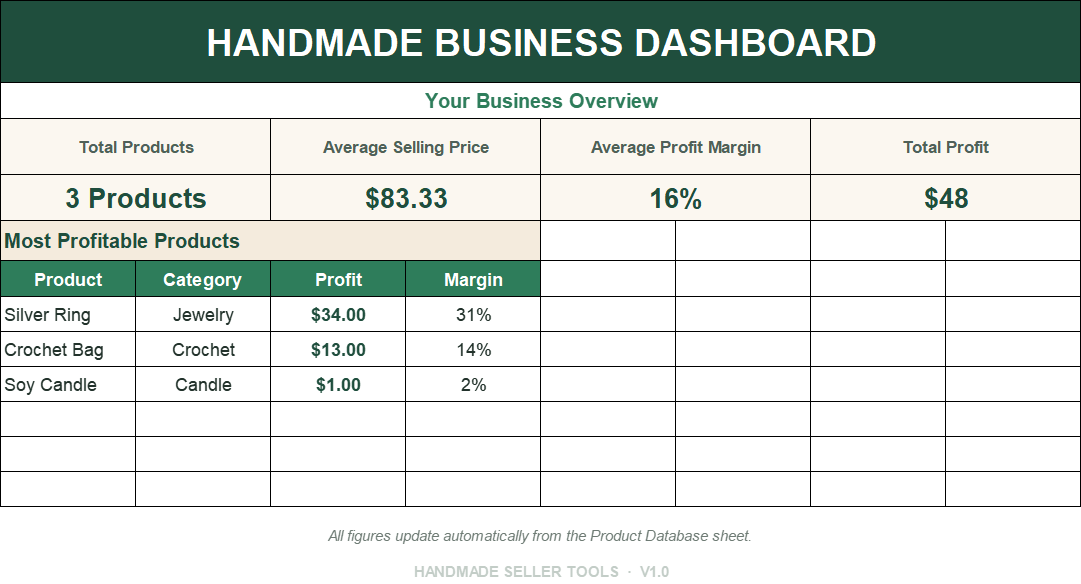
A summary view that pulls the headline numbers from the other tabs. Use it to see cost, price, and expected profit side by side before you commit to a change.
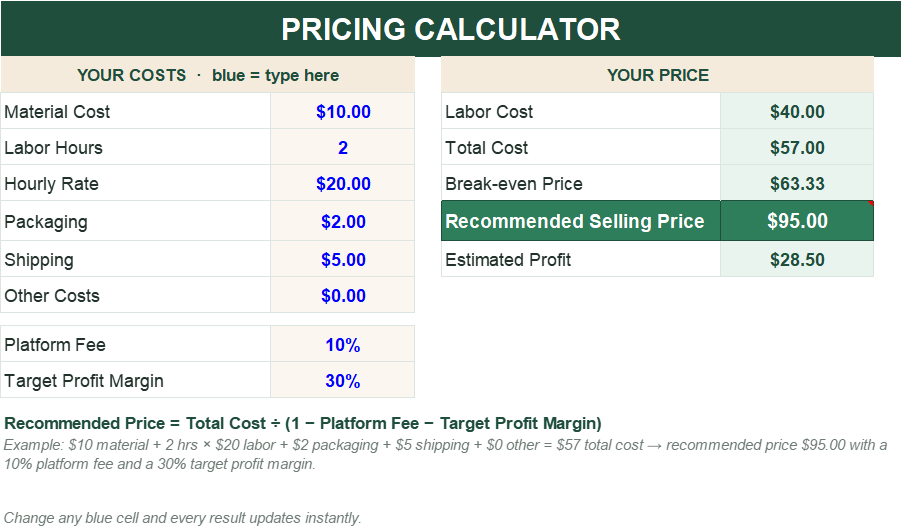
Enter materials, labour, packaging, shipping, and the fees you expect to pay. Set the margin you want and the sheet works backward to a suggested selling price.
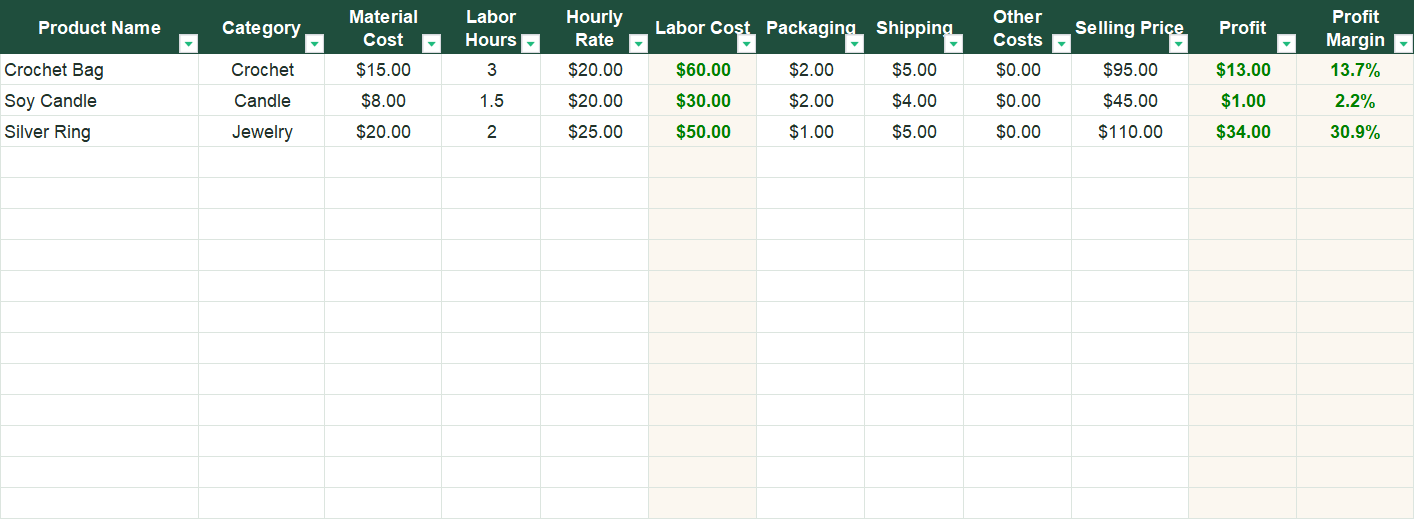
Keep one row per product with its costs, size, and notes so the same information can be reused. When a supplier price moves, you update it in one place rather than rebuilding the calculation.
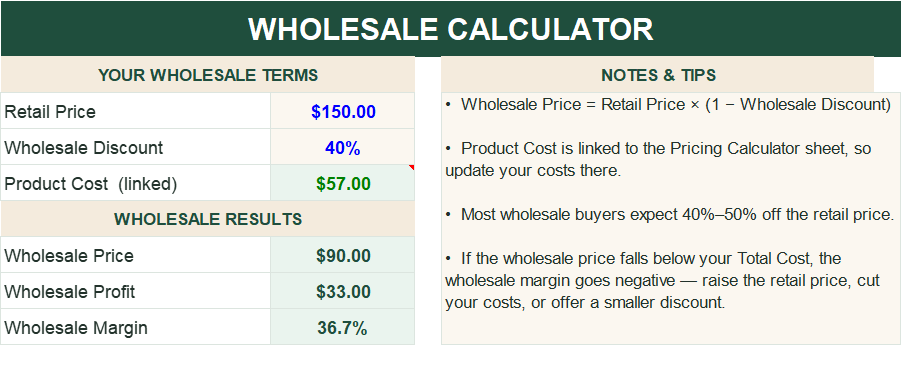
Test what a lower unit price does to your margin when a shop or reseller asks for trade pricing, and see whether a larger order still works once your time and materials are paid for.
The workbook suits sellers who make a repeatable product and want a consistent way to price it, and who want that knowledge in a form they can reuse and update.
It is a planning workbook, not an accounting system. It does not connect to your shop or import orders, and it will not tell you what to charge.
Open the file, work through the views in order, and save your own copy under a new name.
Treat the results as estimates to review rather than a final answer.
Checkout and delivery are handled through Payhip, so payment and the download sit in one place.
No. The workbook is built around input fields and labelled columns. If you can type numbers into a cell and read a total, you can use it.
It is a digital workbook you download and keep. There is no subscription, and the file does not stop working after a period of time.
Yes. The Product Database is designed to hold several products, and the same pricing workflow is reused for each one.
No. It calculates a suggested price from the costs and margin you enter. The final decision, and the assumptions behind it, stay with you.
Yes. It is a normal spreadsheet file, so you can add rows, columns, and your own notes, or rename it and keep a personal copy for your records.
HOW TO BUY
Payment and delivery are handled through Payhip. Review the product page, complete checkout, and access the digital download according to the delivery options shown there.
Open Payhip Product Page